
For providers
How to accept credit cards with Stripe
Stripe runs card payments for PetAppro. The money goes straight to your own Stripe account. PetAppro never holds it and takes no cut.
Card payments are on the Duo, Crew and Team plans. You need to be the business Owner or an Admin.
Choose how you get paid
- Sign in at app.petappro.com.
- Open Billing. On How you get paid, choose Set up how you get paid (or Change how you get paid).
- Tick Credit cards, and any other ways you accept: Cash, Venmo, Zelle or CashApp.
- Choose Set up card payments now.
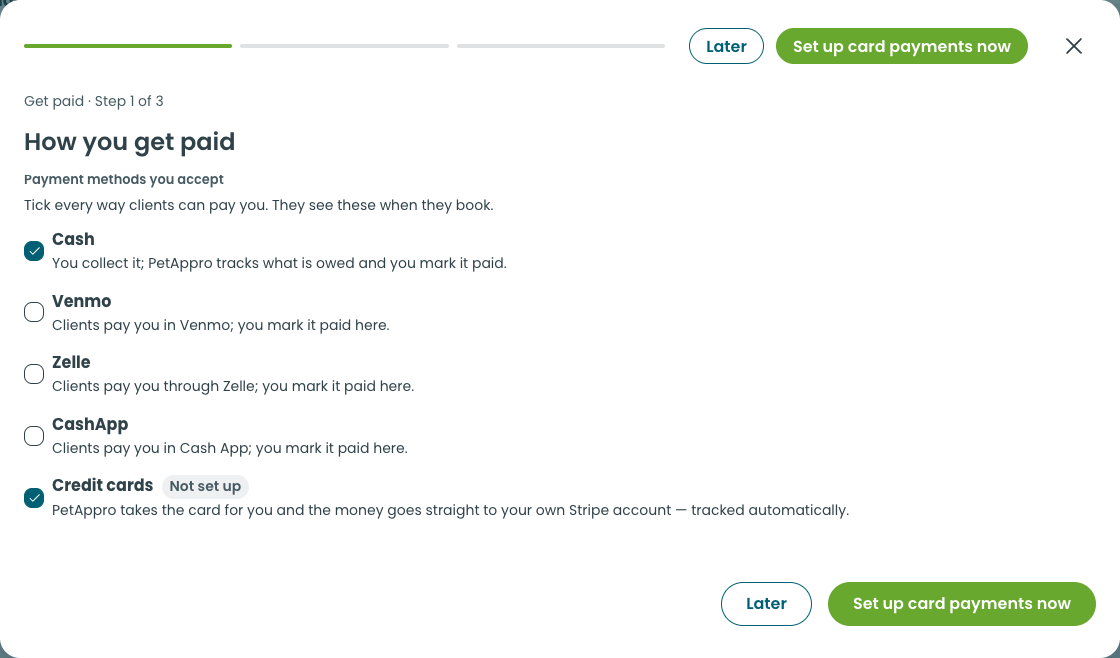
Before you continue to Stripe
Stripe will ask for:
- Your business details (name, address, what you do)
- The bank account your payouts go to
- A photo ID, so Stripe can verify who you are
It takes about 5–10 minutes. Two things to know:
- Business type: most pet-care providers pick Unregistered business (you work under your own name) or Registered business (you have an LLC or corporation; have your EIN ready).
- Website: no website? Use your Instagram or Facebook business page. Your clients see it on their card receipts.
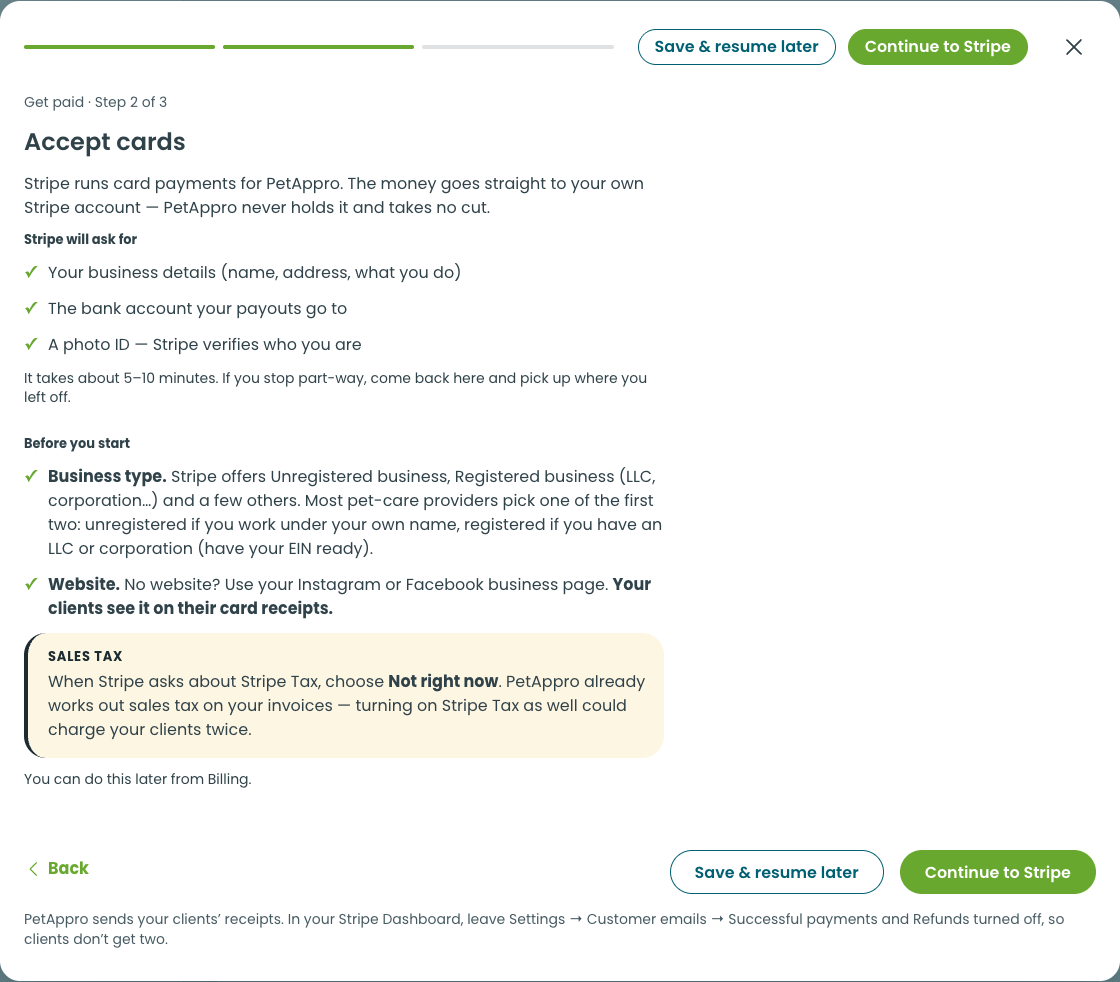
Finish on Stripe
- Choose Continue to Stripe.
- Answer Stripe’s questions on Stripe’s own pages. If you stop part-way, come back and pick up where you left off.
- You return to PetAppro, which shows where things stand:
- You’re ready to take cards: you’re done.
- Stripe is checking your details: usually a few minutes, sometimes a day or two.
- Stripe needs a little more: choose Finish with Stripe to add it.