For providers
How to set up boarding and daycare
Boarding is for dogs that stay overnight. Daycare is for dogs that spend the day with you. You need to be the business Owner or an Admin.
Settings every service shares
- Sign in at app.petappro.com.
- Open Services, then Services & Pricing.
- Open the All services card.
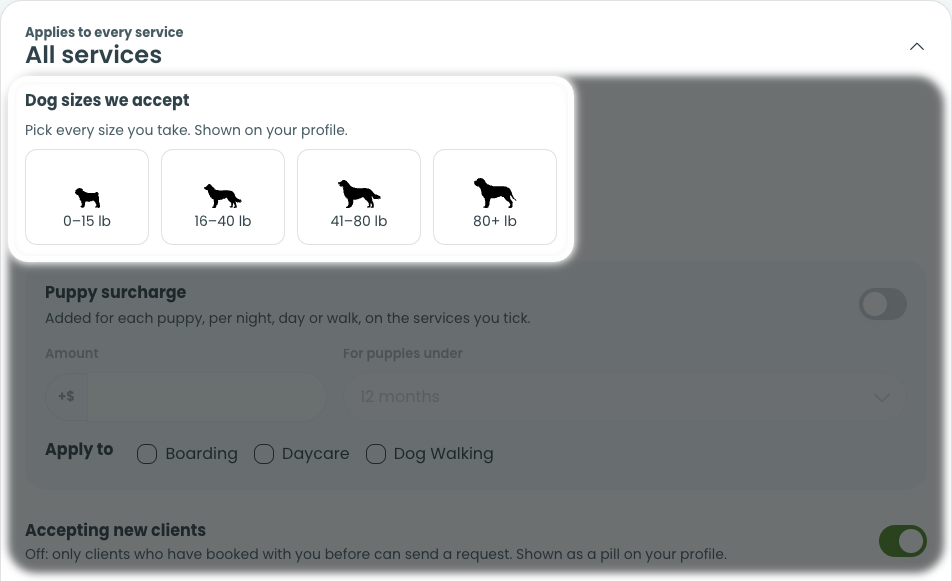
- Under Dog sizes we accept, pick every size you take.
- Check Accepting new clients, Time zone, Business address and Business hours.
- If you charge more for puppies, switch on Puppy surcharge, enter the amount, and pick which services it applies to.
- Choose Save Changes.
Add boarding or daycare
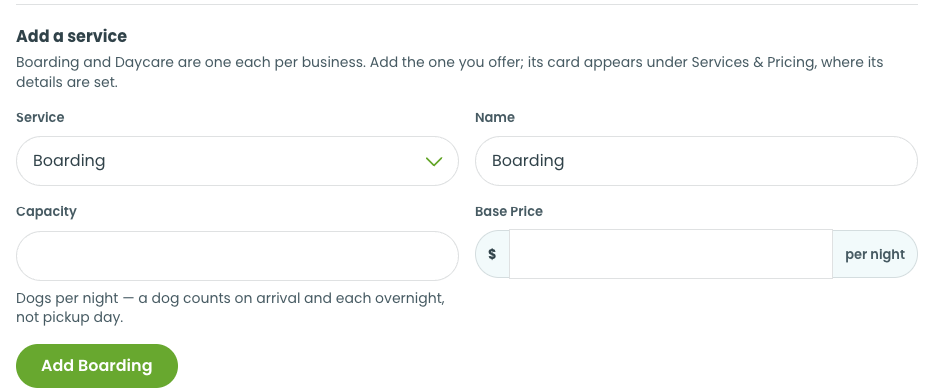
If you don’t have the service yet, go to Add a service at the bottom of the All services card. Choose the Service, enter its Capacity and Base Price, and choose Add Boarding or Add Daycare.
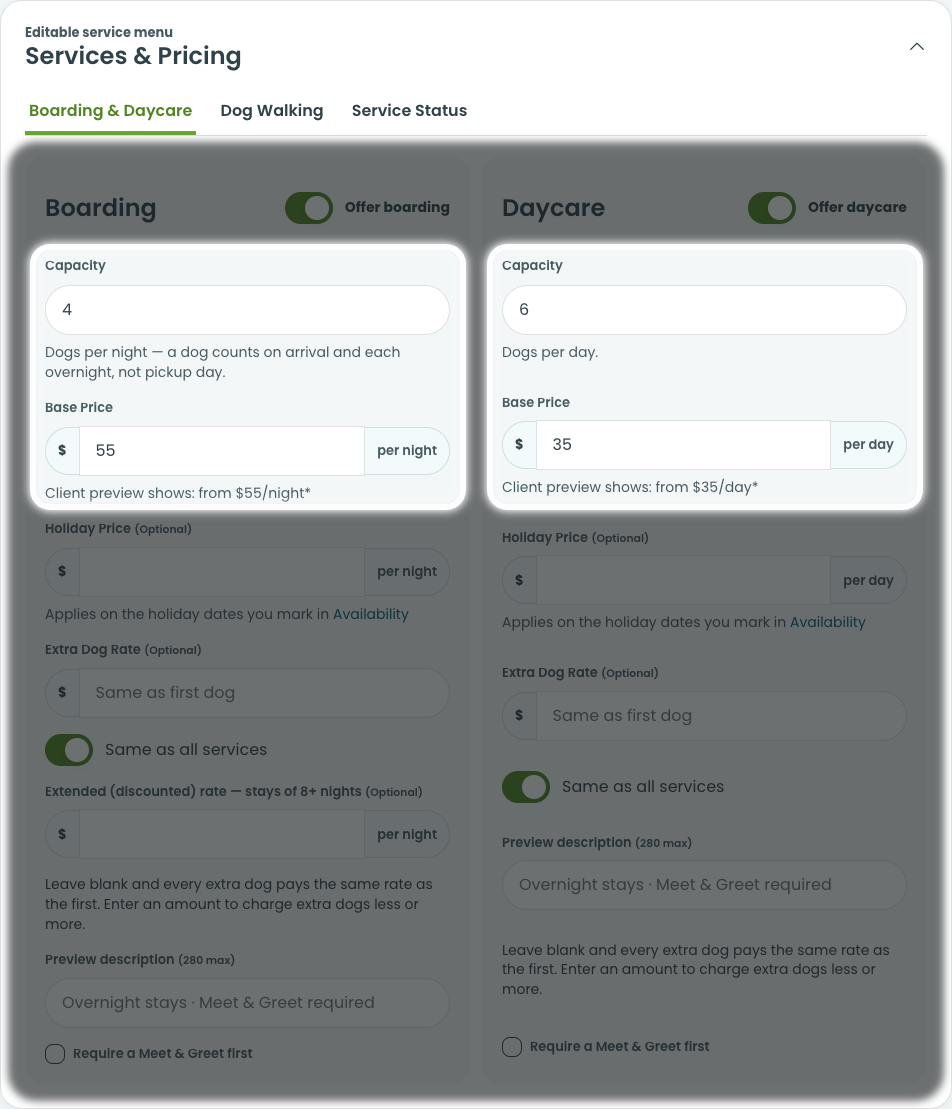
Its card then appears under Boarding & Daycare, with an Offer boarding or Offer daycare switch.
Set capacity and prices
- Capacity: how many dogs you can take.
- Base Price: your price per night (boarding) or per day (daycare).
- Holiday Price (optional): used on the holiday dates you mark in Availability.
- Extra Dog Rate (optional): for another dog from the same household. Leave it empty to charge the same as the first dog.
- For boarding, Extended (discounted) rate (optional): a lower rate for stays of 8 nights or more.
- Turn on Require a Meet & Greet first if new clients should meet you before their first request.
- Choose Save Changes.
Booking rules
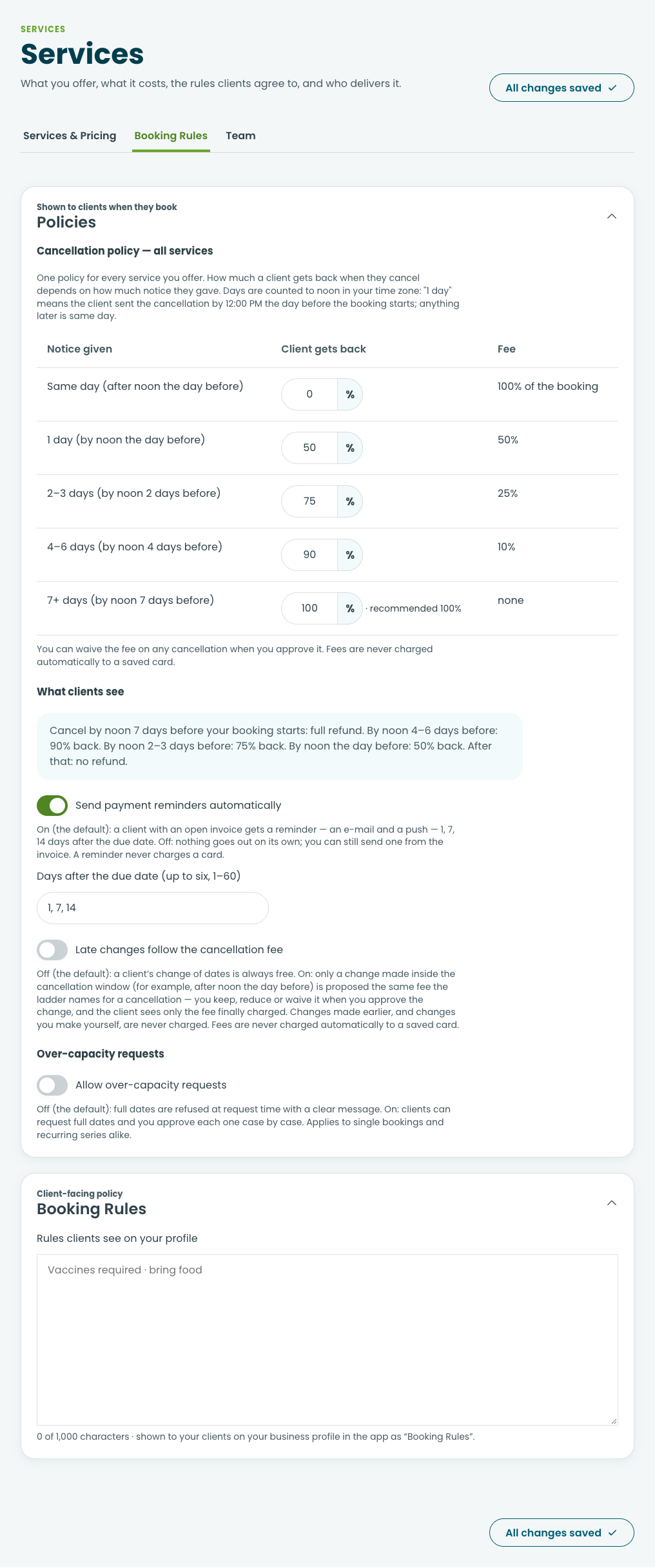
Open Services, then Booking Rules, to set your cancellation policy and payment reminders under Policies, and to write the rules clients see on your profile under Booking Rules.