
For providers
How to set up dog walks
Set up the walks you offer once, and your clients can book them in the app. You need to be the business Owner or an Admin.
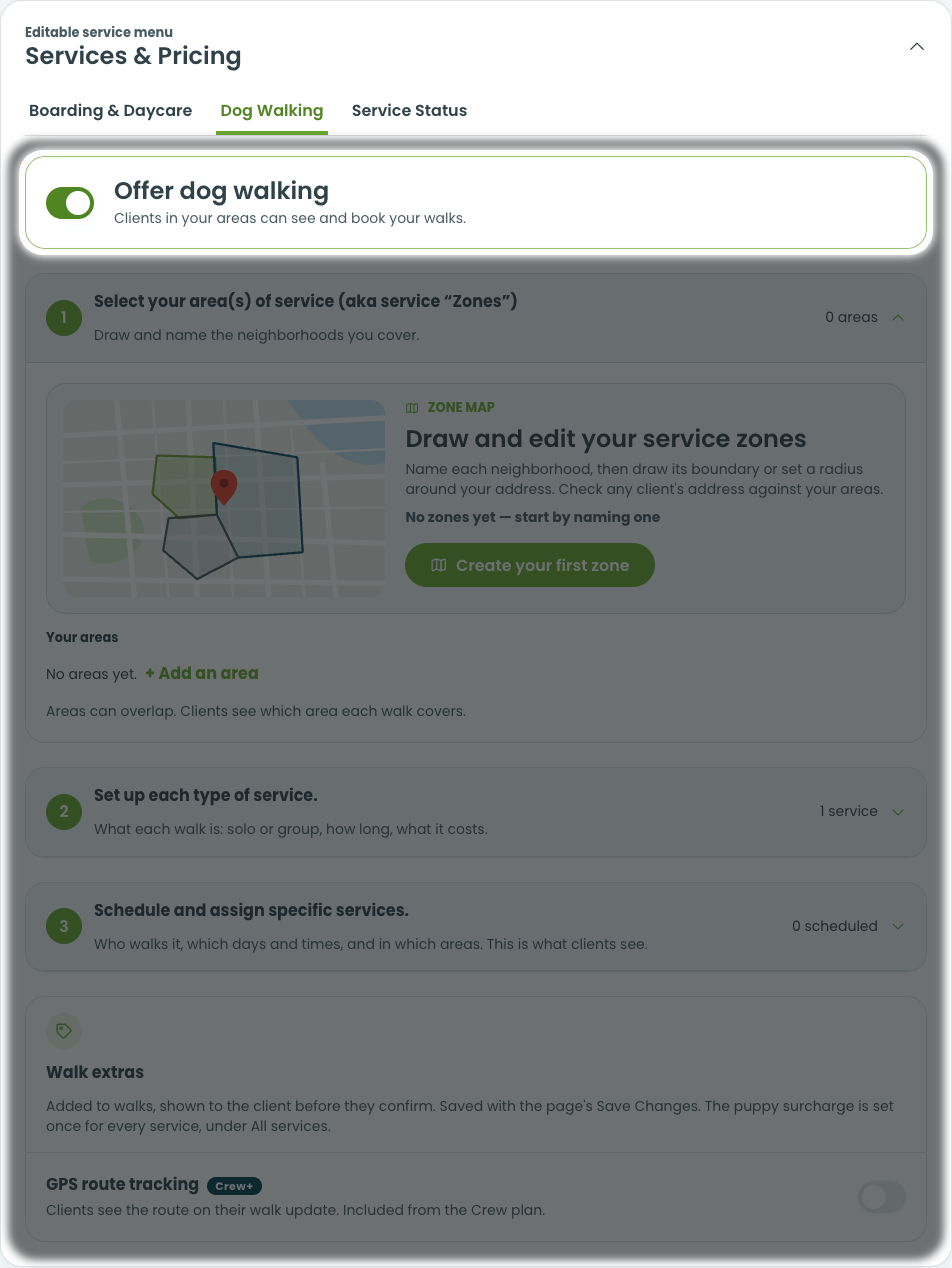
Open the Dog Walking tab
- Sign in at app.petappro.com.
- Open Services, then Services & Pricing, then Dog Walking.
- Turn on Offer dog walking.
Choose your areas (optional)
In step 1, Select your area(s) of service, choose + Add an area and draw where you walk. Areas can overlap.
Add a solo walk
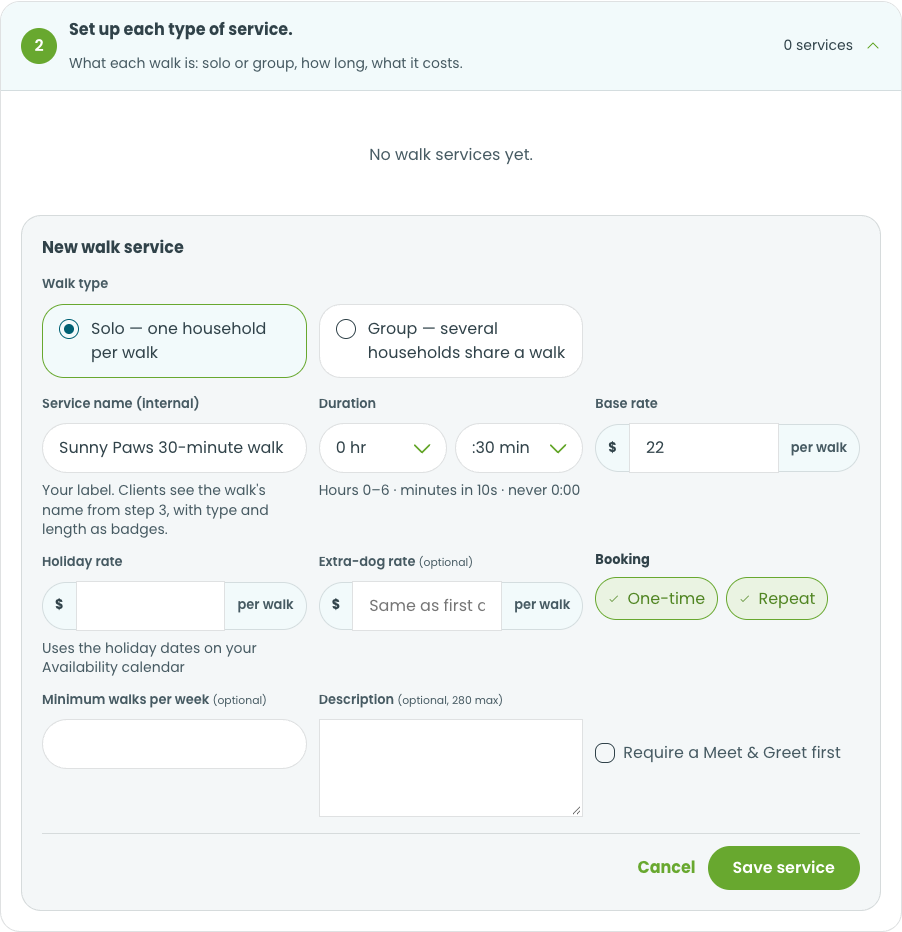
- Open step 2, Set up each type of service, and choose + Add a walk service.
- For Walk type, choose Solo — one household per walk.
- Give it a Service name (internal). This label is for you.
- Set the Duration and the Base rate. You can also set a Holiday rate and an Extra-dog rate.
- Under Booking, choose One-time, Repeat, or both.
- Turn on Require a Meet & Greet first if you want to meet new clients before they book.
- Choose Save service.
Add a group walk
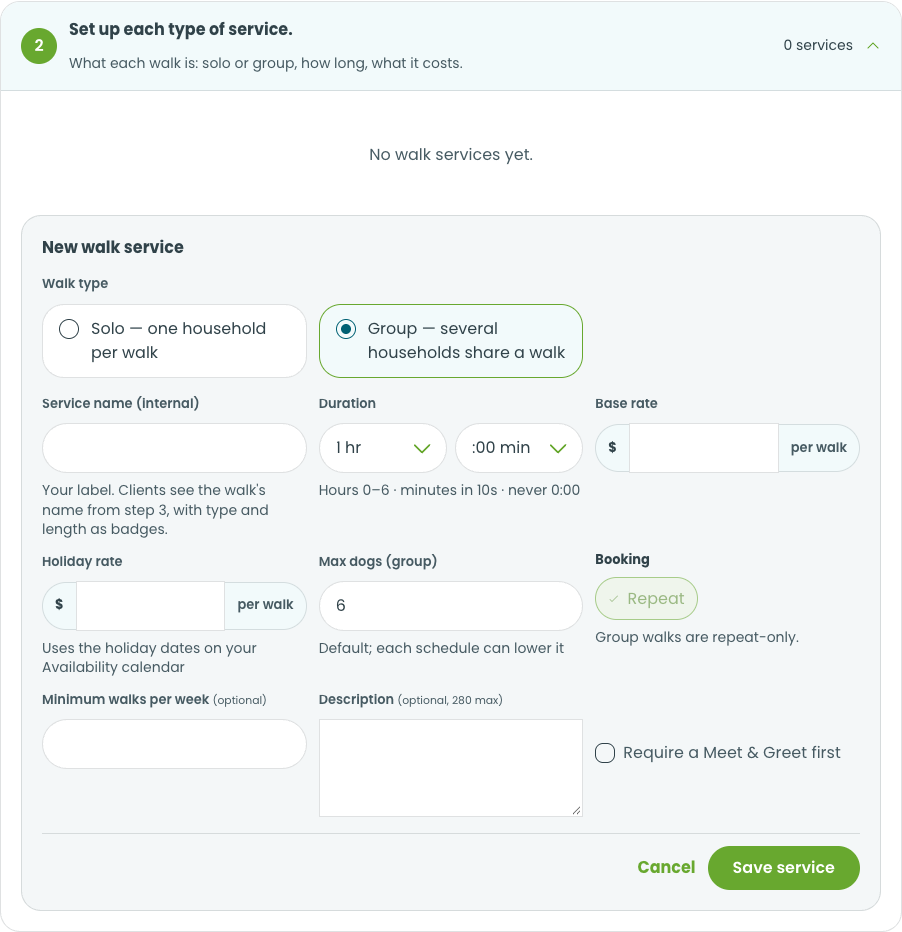
- Choose + Add a walk service again, and choose Group — several households share a walk.
- Set the Duration and Base rate.
- Set Max dogs (group), the most dogs on one walk. Each scheduled walk can take fewer.
- Group walks are repeat-only. You can set Minimum walks per week if you like.
- Choose Save service.
Put the walk on your calendar
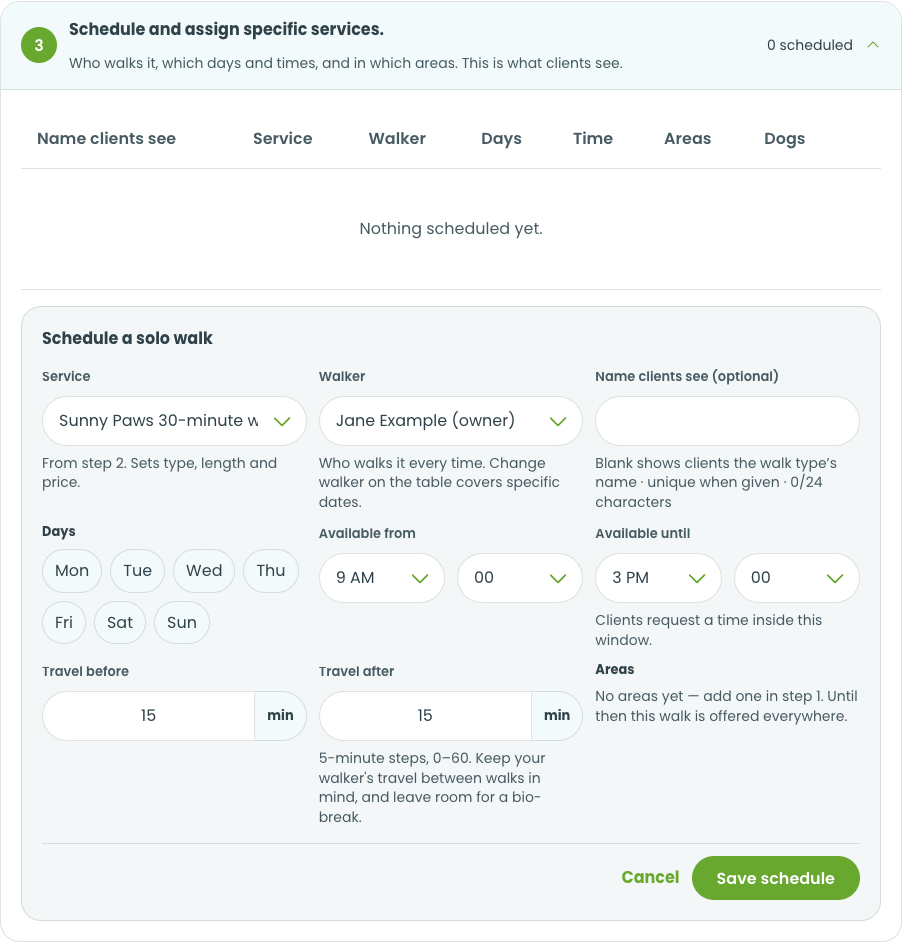
- Open step 3, Schedule and assign specific services, and choose + Schedule a walk.
- Choose the Service and the Walker, and enter the Name clients see (optional for a solo walk).
- Pick the Days.
- For a group walk, set Walk starts, Dogs on this walk, Pickup time before the walk and Drop-off time after the walk.
- For a solo walk, set Available from and Available until, plus Travel before and Travel after. Clients request a time inside that window.
- Check the Areas, then choose Save schedule.
Holiday rates apply on the holiday dates you mark on your Availability calendar.